

Map Terraform into a Graph
Draw what a Terraform state or plan defines, with no cloud access: a plan shows what it will create, change and destroy as a picture a pull request can be reviewed by.
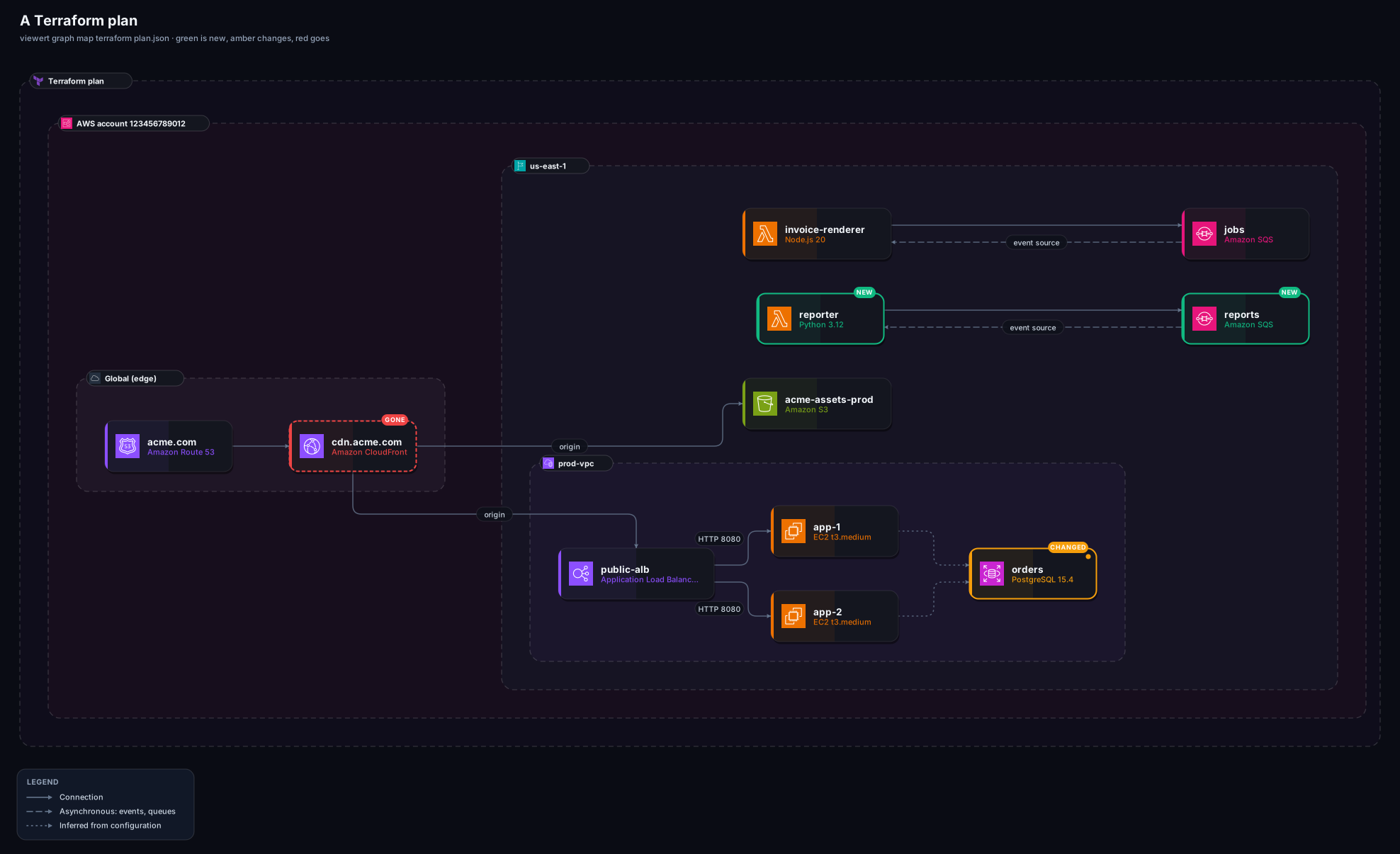
Two commands, and this is what you get. The rest of this page explains each part, and the quickstart walks through it step by step if this is your first time.
terraform show -json > state.json              # or a plan: terraform show -json tfplan > plan.json
viewert graph map terraform state.json --open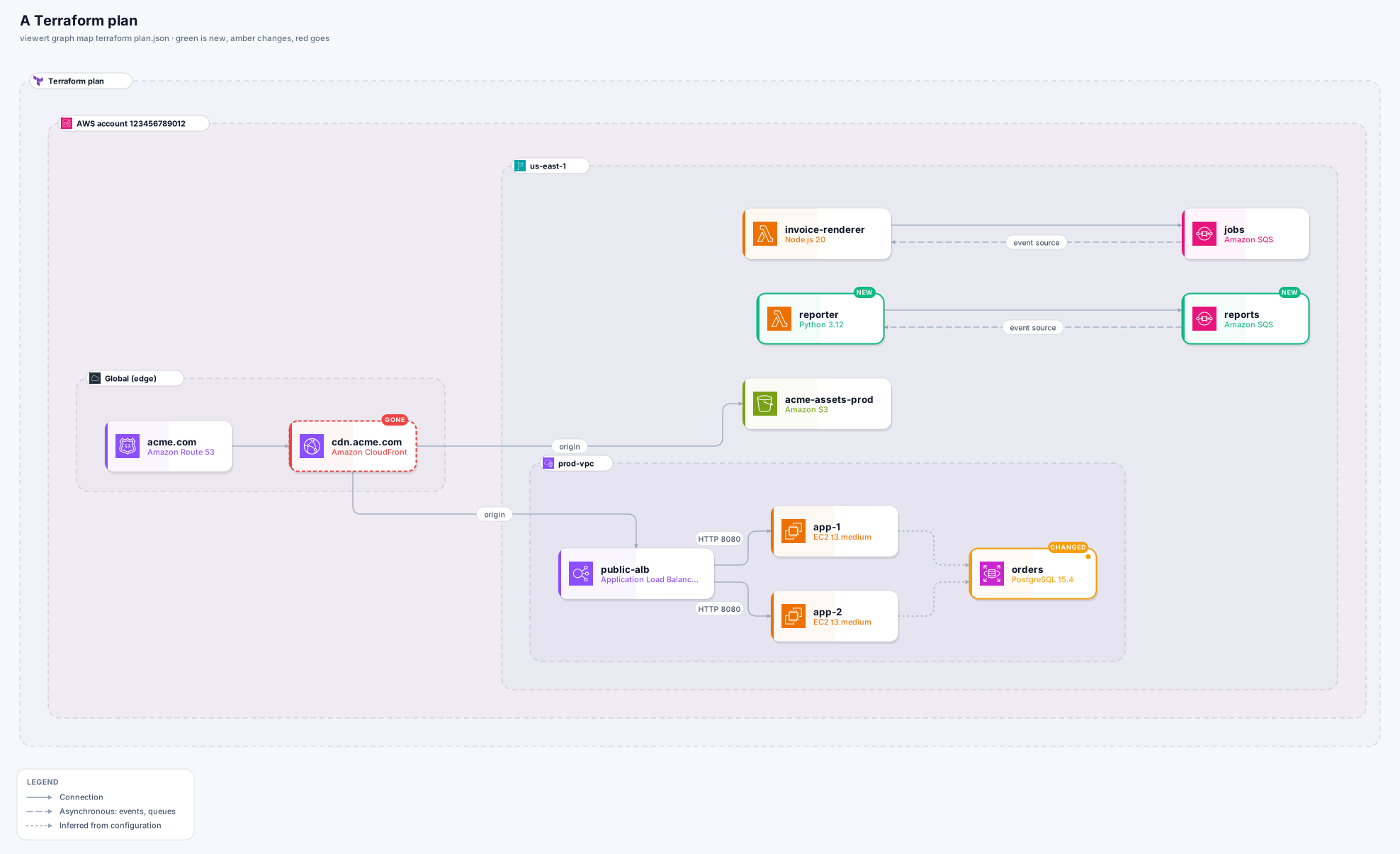
A file: nothing is run and no cloud, backend or Terraform binary is contacted. The reader understands Terraform 0.12 and later (a 0.11 state, format version 3, says it is too old to read).
terraform show -json > state.json
viewert graph map terraform state.json --open

terraform plan -out tfplan
terraform show -json tfplan | viewert graph map terraform - --open

# what a plan changes, as a list
viewert graph diff state.json plan.json
A state
terraform show -json > state.json. The raw terraform.tfstate works too.
A plan
terraform plan -out tfplan, then terraform show -json tfplan > plan.json.
Files as they are found
UTF-8 with or without a byte order mark, UTF-16 (what PowerShell's > writes), and output with the setup-terraform GitHub Action's [command] line before the JSON are all read.
The same icon cards as a live map, for AWS, Google Cloud and Azure (azurerm) resources, grouped by account, Region, network and subnet. The whole picture sits in a frame with Terraform's own mark, which says whether it is a state or a plan and which Terraform wrote it. Resources that only wire others together (listeners, target groups, subscriptions, event-source mappings, security group rules and associations, DNS records, route tables) become connections or facts instead of boxes.
Every connection says which resources refer to each other, and by what.
In a state
By the identifiers and ARNs one resource's attributes hold of another. Attribute values are compared to find the match, then dropped: only the attribute's name reaches the evidence.
In a plan
By the configuration's own references. A plan does not know the ids of what it will create, so the references are what connects the new to the new.
Through modules
A reference that goes through a module's variables and outputs (a module that takes module.network.vpc_id, or hands out aws_db_instance.this.arn) is followed to the resources at its ends. A module's own VPC holds its subnets, gateways and security groups even though Terraform hands the id through a local, which a plan does not carry.
From a raw state
Its recorded dependencies, plus the attribute matches.
Inferred (dotted)
Security group rules that let one group reach a database port, and Google Cloud firewall rules between network tags.
A plan marks every resource it touches: what it will create is green, what it will change is amber (with the names of the attributes that change, never their values), what it will destroy is red and dashed, each with a tag in the card, and a Changes only view shows just those. When everything in a plan is new there is nothing to tell apart, so nothing is marked and the title says “55 to add”.
In a pull request
Attach the exported SVG or PNG of the plan to the review: “this adds a queue and a function, resizes the database and deletes the CDN” is visible at a glance.
In a pipeline
viewert graph diff state.json plan.json --fail-on-change --json turns any difference into a failing check; --out plan-changes.vgf writes the marked Graph.
for_each and values that are unknown until apply), from the public test data of Checkov, terraform-compliance, Infracost, Inframap and Google Cloud's own tooling, and every attribute it reads is checked against the AWS and Google providers' documentation. Hundreds more files were run through it to find what breaks.Specific to Terraform:
“is Terraform source (HCL)”
You gave it main.tf. Terraform source says what to build, not what exists: give it the state or a plan (terraform show -json).
Nothing is drawn
The file holds no resource of a kind the map draws (the Graph's note names what was skipped). Kinds that only wire others together are not boxes on purpose.
A connection through a local is missing
Locals are not part of a plan's JSON, so a reference that goes only through one cannot be followed. A state does not have the problem: it matches the ids.
Other providers
AWS, Google Cloud (google_*) and Azure (azurerm_*) resources are drawn. Others are listed in the Graph's note and left out.