

Map Kubernetes into a Graph
Draw a cluster's workloads, services and ingresses with your own kubectl, or draw manifests and Helm output with no cluster at all.
Two commands, and this is what you get. The rest of this page explains each part, and the quickstart walks through it step by step if this is your first time.
kubectl config current-context                # which cluster am I pointed at?
viewert graph map k8s --open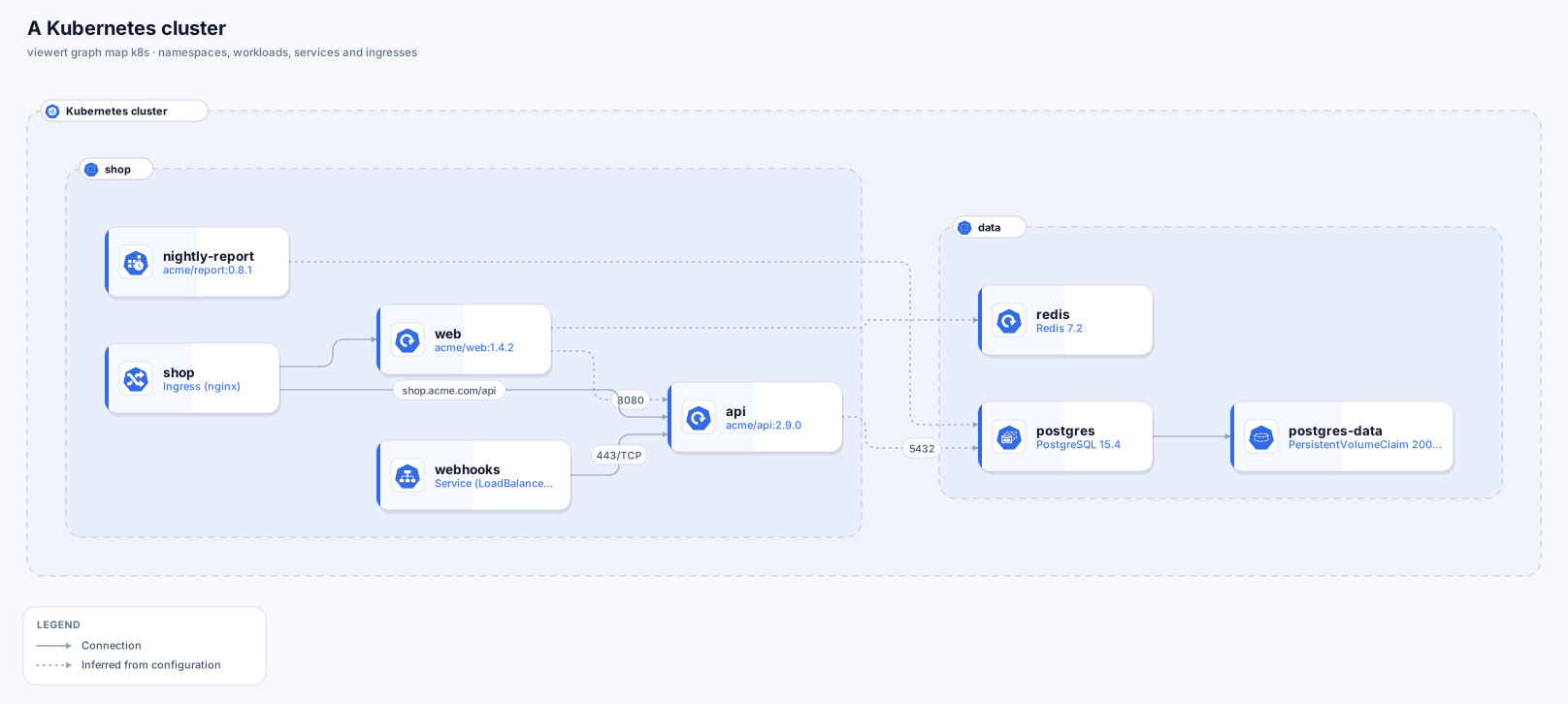
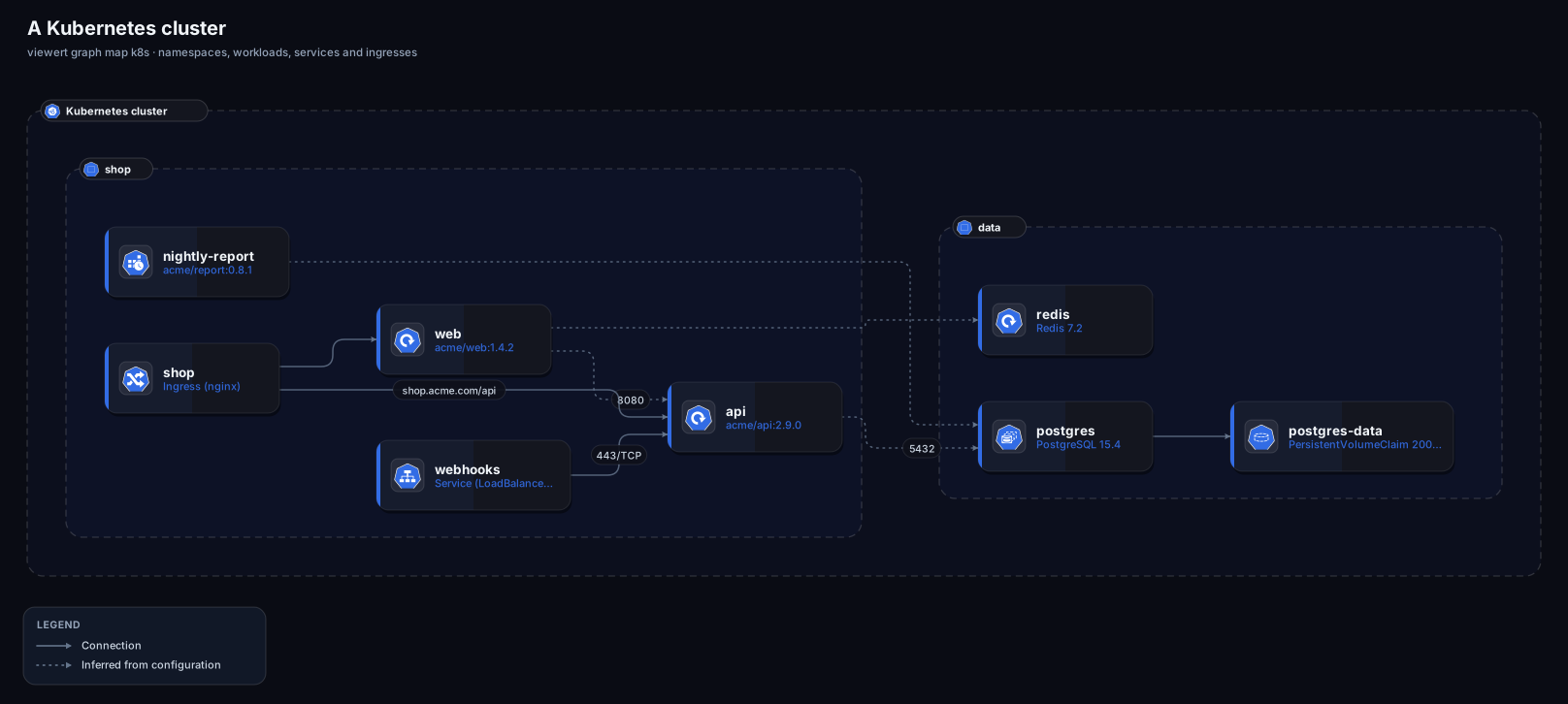
viewert graph map k8s: namespaces, workloads, services and ingresses.You need the Viewert CLI, signed in, and kubectl pointed at the cluster (for a live read). To draw files there is nothing else to install.
Install and sign in to Viewert
npm install -g @viewert/cli, then viewert login.
Point kubectl at the cluster
kubectl config current-context says which cluster a map would read; --context chooses another. Your kubeconfig, and any login plugin it uses (aws eks get-token, gke-gcloud-auth-plugin, kubelogin), are yours: Viewert never sees them.
Make sure you may list
kubectl get needs list on what it reads. The reference has a ClusterRole for exactly that: no Secrets, no ConfigMaps, no Pods.
Look first, then run; narrow it to a namespace if the cluster is large.
viewert graph map k8s --dry-run
viewert graph map k8s --open
viewert graph map k8s --context prod --namespace shop --namespace data --open
viewert graph map k8s --skip storageThe cluster is a frame and each namespace a frame inside it, with the Kubernetes project's own icons.
- Drawn as
- A node per workload (a workload stands for its pods)
- Notes
- Replicas, ports, image; a data store image (Postgres, Redis, MongoDB, Kafka…) is drawn as that data store
- Drawn as
- An edge node with its hosts
- Notes
- Marked as publishing those hosts
- Drawn as
- An edge node
- Notes
- Marked as exposed (an internal load balancer is not)
- Drawn as
- Not a box: it is how traffic reaches a workload
- Notes
- Becomes the lines below
- Drawn as
- A storage node, when a workload mounts it
- Notes
- Drawn as
- A fact on its workload
- Notes
- Min and max replicas
- Drawn as
- Never read
- Notes
- A Secret in a file you give is skipped without being read
| Kubernetes | Drawn as | Notes |
|---|---|---|
| Deployment, StatefulSet, DaemonSet, CronJob | A node per workload (a workload stands for its pods) | Replicas, ports, image; a data store image (Postgres, Redis, MongoDB, Kafka…) is drawn as that data store |
| Ingress | An edge node with its hosts | Marked as publishing those hosts |
| Service of type LoadBalancer or NodePort | An edge node | Marked as exposed (an internal load balancer is not) |
| Service of type ClusterIP | Not a box: it is how traffic reaches a workload | Becomes the lines below |
| PersistentVolumeClaim | A storage node, when a workload mounts it | |
| HorizontalPodAutoscaler | A fact on its workload | Min and max replicas |
| Secrets, ConfigMaps, Pods, Roles | Never read | A Secret in a file you give is skipped without being read |
Only what the manifests say.
Declared
Ingress to workload (a rule names a Service, which selects the workload's pods); a LoadBalancer or NodePort Service to the workload it selects; a workload to the volume claim it mounts.
Inferred (dotted)
An environment variable that holds the address of another workload's Service: postgres://app@db:5432/orders, http://api.shop.svc.cluster.local:8080, or a bare host such as redis.data. Only a variable whose name says it is an address is looked at (never one named like a password, key or token), only the host is kept (never the value, a password in it, or the path), and the line is drawn only if the host is a Service in the cluster.
Give the CLI manifests and it draws them. YAML with several documents, kubectl get -o json (a List, or one object), kubectl get -o yaml, a folder's manifests joined, and what helm template or kustomize build prints are all read.
# what a cluster has, saved
kubectl get deploy,sts,ds,cronjob,svc,ing,hpa,pvc -A -o json > cluster.json

# what a chart would create
helm template ./chart > rendered.yaml
kustomize build overlays/prod > rendered.yaml

viewert graph map k8s --from-snapshot rendered.yaml --open
viewert graph map k8s --from-snapshot cluster.json --namespace shop

# keep the cluster as a file, to compare later
viewert graph snapshot k8s -o cluster-2026-10.json
viewert graph diff cluster-2026-09.json cluster-2026-10.jsonSpecific to Kubernetes:
kubectl was not found
Install kubectl, or draw files.
kubectl cannot reach or sign in to the cluster
Check kubectl get ns works with the same context. Cloud clusters need their login plugin signed in (aws sso login, gcloud auth login, az login).
Forbidden on some kinds
The map goes on without them and the description names what was skipped. Grant the ClusterRole in the reference.
Traffic between workloads is missing
Only environment variables that hold a Service address are read. Calls configured another way (a ConfigMap, a service mesh, service discovery) are not drawn; add them by hand.