

Map Google Cloud into a Graph
Read a Google Cloud project read-only with your own gcloud login, or build the Graph from a Cloud Asset Inventory export.
Two commands, and this is what you get. The rest of this page explains each part, and the quickstart walks through it step by step if this is your first time.
gcloud auth login
viewert graph map gcp --project my-project-id --open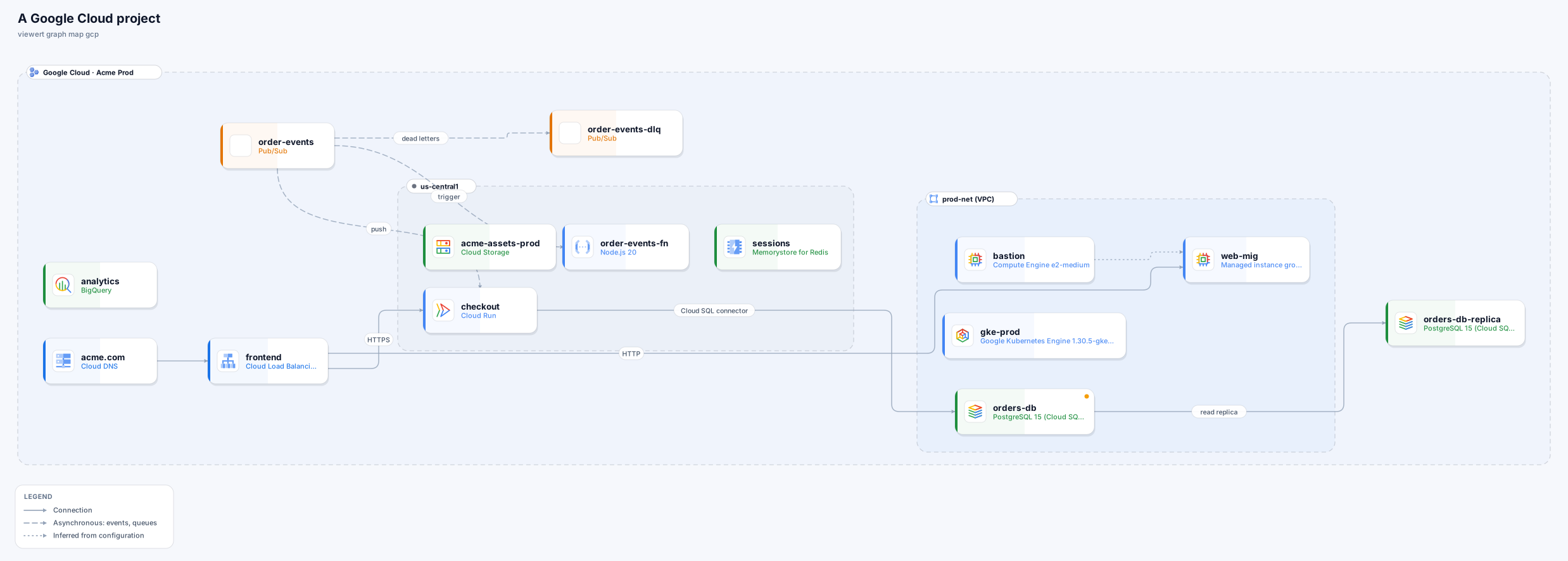
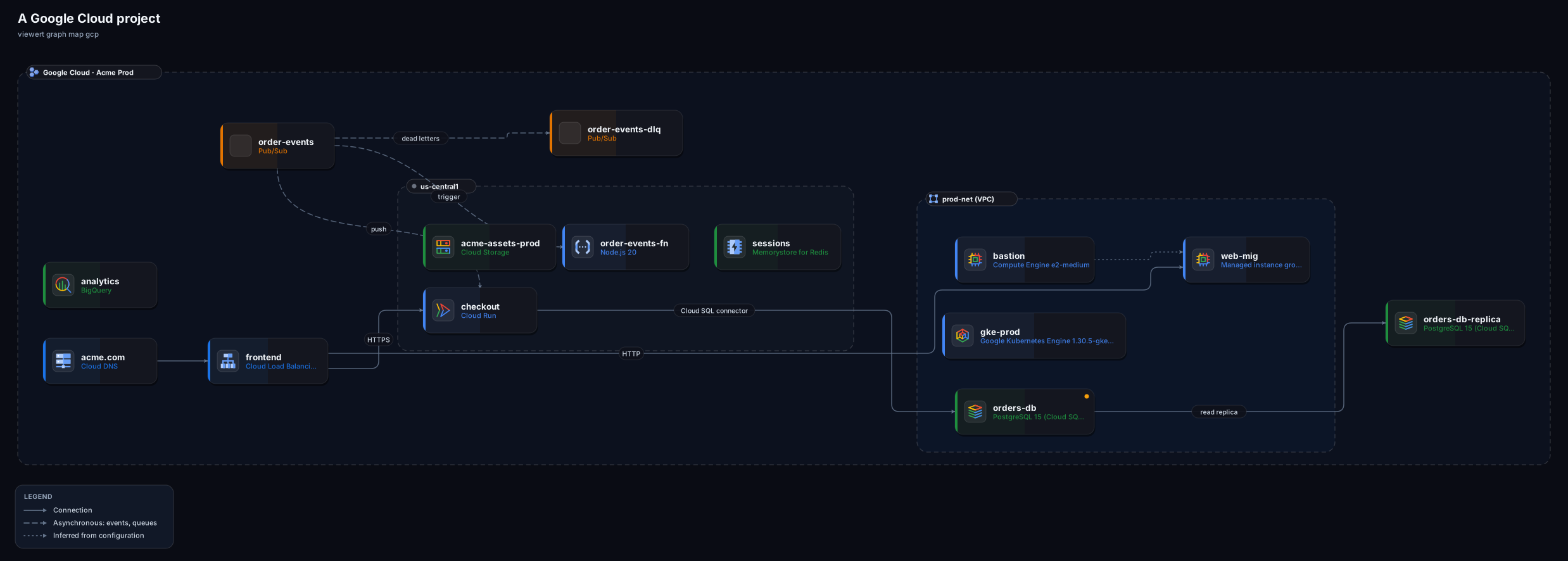
viewert graph map gcp.You need the Viewert CLI, signed in, and the Google Cloud CLI, signed in as someone who may read the project.
Install and sign in to Viewert
npm install -g @viewert/cli, then viewert login.
Install the Google Cloud CLI and sign in
gcloud auth login. The project is --project, or whatever gcloud config set project says.
Make sure you may read
The Viewer role on the project is enough for everything except what is read through the Asset Inventory (Memorystore, Spanner, Bigtable, BigQuery, AlloyDB, Filestore, Vertex AI endpoints), which also needs Cloud Asset Viewer and the Cloud Asset API turned on. Anything you may not read is skipped and named in the Graph's description.
One project per map.
viewert graph map gcp --project my-project-id --dry-run   # see the commands
viewert graph map gcp --project my-project-id --open
viewert graph map gcp --project my-project-id --only compute,sql,runEvery resource uses the Google Cloud icon for its product. Boundaries are the project, the region and the VPC network.
- Drawn as a node
- Compute Engine VMs and managed instance groups, GKE clusters, Cloud Run services, Cloud Functions
- Read as a fact or a line
- External IP, machine type, zone
- Drawn as a node
- Cloud Load Balancing (forwarding rules, URL maps, backend services), Cloud DNS zones
- Read as a fact or a line
- Backends, DNS records
- Drawn as a node
- Cloud SQL, Cloud Storage, and through the asset inventory Memorystore, Spanner, Bigtable, BigQuery, AlloyDB, Filestore
- Read as a fact or a line
- Public IP, authorized networks, read replicas
- Drawn as a node
- Pub/Sub topics (with their subscriptions as lines)
- Read as a fact or a line
- Push endpoints, dead-letter topics
- Drawn as a node
- IAM, service accounts, logs, individual members of a managed group
- Read as a fact or a line
- Firewall rules become exposure and inferred lines
| Area | Drawn as a node | Read as a fact or a line |
|---|---|---|
| Compute | Compute Engine VMs and managed instance groups, GKE clusters, Cloud Run services, Cloud Functions | External IP, machine type, zone |
| Edge | Cloud Load Balancing (forwarding rules, URL maps, backend services), Cloud DNS zones | Backends, DNS records |
| Data | Cloud SQL, Cloud Storage, and through the asset inventory Memorystore, Spanner, Bigtable, BigQuery, AlloyDB, Filestore | Public IP, authorized networks, read replicas |
| Messaging | Pub/Sub topics (with their subscriptions as lines) | Push endpoints, dead-letter topics |
| Left out on purpose | IAM, service accounts, logs, individual members of a managed group | Firewall rules become exposure and inferred lines |
Only what the configuration shows.
Declared
Load balancer backends and URL maps, Cloud Run to its Cloud SQL instances (from the service's connection setting), Pub/Sub push subscriptions and dead-letter topics, DNS records, read replicas.
Inferred (dotted)
A VPC firewall rule that lets VMs with one network tag reach VMs with another. On the Network access layer.
Internet exposure
An external IP address, a Cloud SQL instance with a public IP or 0.0.0.0/0 in its authorized networks, a Cloud Run service whose ingress is all, an external load balancer, and any VM a firewall rule open to everyone applies to (with the ports).
Someone with the Cloud Asset Viewer role can export what Google already knows and you give the CLI the file. Nothing is contacted. Newline-delimited JSON, a JSON list, and gzipped files are read as they come, and project numbers are reconciled with project ids.
# a small project
gcloud asset list --project my-project-id --content-type=resource --format=json > assets.json

# a large one: export to a bucket, then download it
gcloud asset export --project my-project-id --content-type=resource --output-path=gs://my-bucket/assets.json

viewert graph map gcp --from-snapshot assets.json --open
viewert graph map gcp --from-snapshot assets.json --project my-project-id # an export of several projects: chooseviewert graph snapshot gcp reads more, strips secrets, and writes a file someone else can map from.viewert graph snapshot gcp --project my-project-id --dry-run
viewert graph snapshot gcp --project my-project-id -o snapshot.json
viewert graph map gcp --from-snapshot snapshot.json --openSpecific to Google Cloud:
The gcloud command was not found
Install the Google Cloud CLI, or use --from-snapshot.
No project
Pass --project my-project-id, or gcloud config set project my-project-id.
An API is not enabled
Reading a product through an API that is switched off is skipped and named in the description.
The Google Cloud mapper is newer than the AWS one
It is tested on fixtures built from the API documentation and on exports, and has seen fewer real projects. If something is missing or wrong, tell us.